

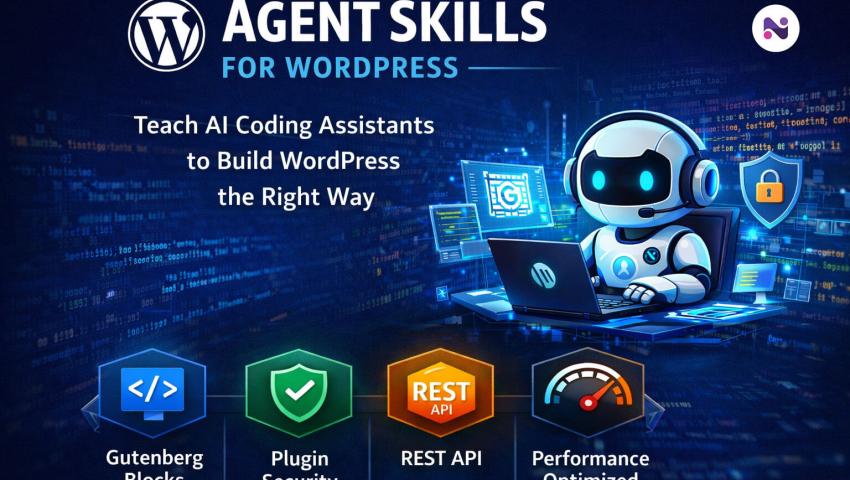
Agent Skills for WordPress: How to Teach AI Coding Assistants Modern WordPress Development (2026 Guide)
 By Super Admin
- Innovation
- ফেব 02, 2026
- 5 minutes read
- 935 Views
Agent Skills for WordPress helps AI coding assistants (Claude, Copilot, Codex) follow modern WordPress best practices—Gutenberg blocks, plugins, security, REST API, performance, and tooling.
AI coding assistants like Claude Code, GitHub Copilot, Codex, and Cursor are transforming how developers build WordPress sites, plugins, and Gutenberg blocks. But there’s a problem: AI often generates outdated WordPress patterns, skips security best practices, and ignores your project tooling—leading to bugs, invalid blocks, and unsafe code.
That’s where Agent Skills for WordPress comes in.
Agent Skills are portable instruction packs designed to teach AI assistants how to build WordPress the right way—with modern workflows, correct architecture, security, and compatibility in mind.
In this guide, you’ll learn what Agent Skills are, why they matter, what skills are available, and how to install them globally or inside your WordPress project.
What Are Agent Skills for WordPress?
Agent Skills are structured, reusable bundles of:
development instructions (step-by-step procedures)
checklists (verification + best practices)
scripts (deterministic helpers for validation and detection)
references (deep-dive docs on specific WordPress topics)
They help AI assistants behave like experienced WordPress developers rather than “guessing” code patterns.
Instead of prompting an AI repeatedly to “do it securely” or “follow Gutenberg standards,” Agent Skills provide a consistent framework the assistant can follow automatically.
Why Agent Skills Matter in 2026
AI tools are powerful—but WordPress development has many edge cases. Without guidance, AI commonly:
1) Generates outdated WordPress patterns
Many AI assistants still output pre-Gutenberg patterns, classic theme assumptions, or old plugin structures.
2) Misses security requirements
WordPress plugin development requires strict security practices:
capability checks
nonces
sanitization/validation
escaping output
AI can easily skip these, creating vulnerabilities.
3) Skips block deprecations (causing “Invalid block”)
When block markup changes, proper deprecations are required. If not handled, WordPress shows:
“This block contains unexpected or invalid content.”
4) Ignores existing repo tooling
Your project may already have:
WP-CLI workflows
PHPStan configs
custom scripts
build pipelines
AI often ignores them unless explicitly instructed.
Agent Skills solve these problems by giving AI assistants expert-level WordPress knowledge in a usable format.
Available Agent Skills (What They Teach)
Agent Skills includes specialized skill packs for modern WordPress workflows:
🔹 Core Routing & Detection
wordpress-router: classifies WordPress repositories and routes to the correct workflow
wp-project-triage: detects project type, tooling, versions, and conventions
🔹 Gutenberg & Block Themes
wp-block-development: block.json, attributes, rendering, and block deprecations
wp-block-themes: theme.json, templates, patterns, and style variations
wp-interactivity-api: frontend interactivity with
data-wp-*directives and stores
🔹 Plugins & REST API
wp-plugin-development: architecture, hooks, settings API, and security best practices
wp-rest-api: routes/endpoints, schema, auth, response shaping
wp-abilities-api: capability-based permissions + REST authentication
🔹 Tooling, Performance, and Ops
wp-wpcli-and-ops: WP-CLI commands, automation, multisite, search-replace
wp-performance: profiling, caching, DB optimization, Server-Timing
wp-phpstan: static analysis setup + WordPress-specific typing
wp-playground: instant WordPress local environments
wpds: WordPress Design System
How Agent Skills Work (Structure)
Each skill is organized like this:
When you ask your AI assistant to work on WordPress code, it reads the relevant skill and follows the documented procedure—rather than producing random patterns.
Quick Start: Install Agent Skills
Option 1: Install Globally (Claude Code)
This makes skills available across all projects:
Install only specific skills:
This installs into:
~/.claude/skills/
Option 2: Install Into Your WordPress Repo
This is best for teams and shared project workflows:
It copies skills into:
.codex/skills/ (OpenAI Codex)
.github/skills/ (VS Code / GitHub Copilot)
.claude/skills/ (Claude Code project-level)
Useful Commands
List available skills:
Dry run before installing:
Install a single skill into a repo:
Who Should Use Agent Skills?
Agent Skills is perfect for:
WordPress agencies building multiple client sites
plugin and theme developers
Gutenberg block developers
teams using Copilot/Claude/Cursor daily
projects requiring strong security and stable releases
WordPress teams standardizing development practices
Final Thoughts
AI assistants can accelerate WordPress development—but without guardrails they may introduce outdated code, security issues, and Gutenberg block errors.
Agent Skills for WordPress provides the missing layer: reusable expert knowledge that makes AI assistants follow modern WordPress workflows, project tooling, and best practices consistently.
If you want faster development without sacrificing quality, Agent Skills is one of the smartest upgrades you can make in 2026.
FAQ
1) What are Agent Skills for WordPress?
Agent Skills are portable instruction packs that teach AI coding assistants how to build WordPress using best practices—covering blocks, plugins, themes, REST API, security, and performance.
2) Which AI assistants support Agent Skills?
Agent Skills can be installed for tools like Claude Code, GitHub Copilot (VS Code), and OpenAI Codex, and can work with any assistant that supports project-level instructions.
3) Does Agent Skills help with Gutenberg blocks?
Yes. Skills like wp-block-development cover block.json, attributes, rendering, and block deprecations to prevent “Invalid block” errors.
4) Can Agent Skills improve WordPress plugin security?
Yes. The wp-plugin-development skill emphasizes capability checks, nonces, sanitization, escaping, and secure architecture.
5) Can I install only the skills I need?
Yes. You can install specific skills using the --skills= flag, such as wp-playground or wp-block-development.
6) Is Agent Skills compatible with modern WordPress versions?
Yes. It targets WordPress 6.9+ and PHP 7.2.24+.
Super Admin
Leave a comment
Your email address will not be published. Required fields are marked *